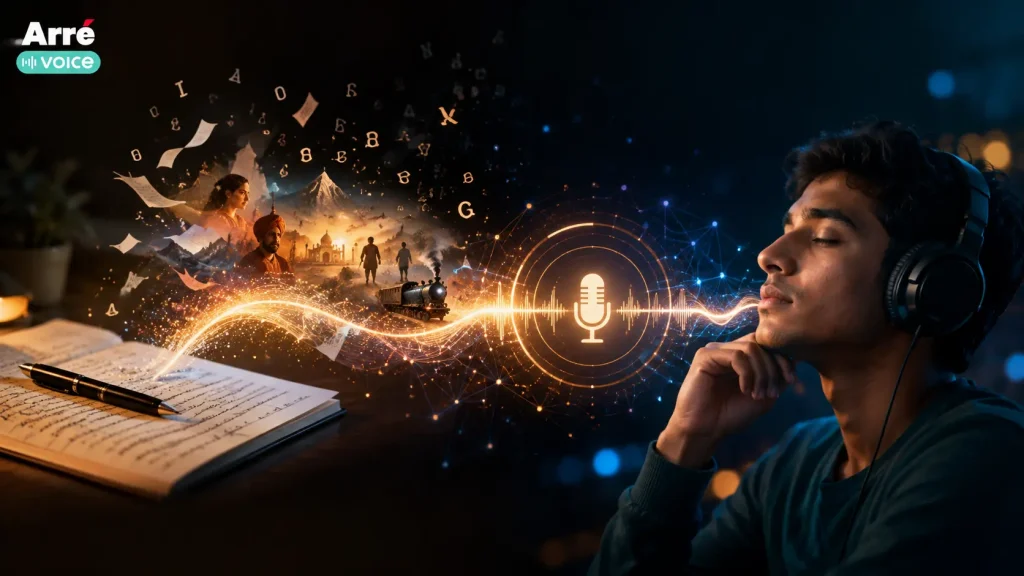
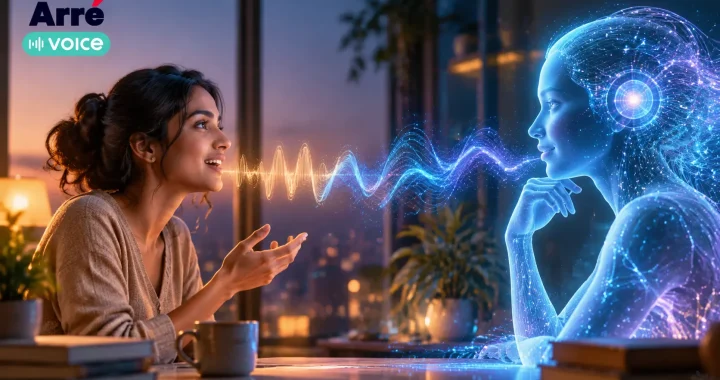
AI voice narration uses artificial intelligence to turn written text into natural-sounding spoken audio. Creators can use it to narrate stories, audiobooks, videos, podcasts, learning content, and other audio experiences without recording every line manually. Modern AI narration tools can also support different voices, languages, accents, pacing, and expressive delivery.
How AI Voice Narration Is Changing Storytelling
A story no longer has to stay on the page.
Writers, storytellers, educators, video creators, and independent publishers are increasingly turning written ideas into audio experiences that people can listen to while travelling, working, exercising, or simply taking a break from a screen.
Until recently, producing narrated content usually meant arranging a voice artist, finding a quiet recording environment, using microphones and other equipment, recording multiple takes, and spending additional time editing the final audio. For professional projects, that process still has enormous creative value. But it can also require time, budget, and production resources that many individual creators do not have.
AI voice narration changes that production process.
A creator can now begin with a written script and use an AI narration tool to generate spoken audio. Depending on the technology being used, creators may be able to experiment with different narration styles, voices, languages, accents, pacing, and levels of expression before deciding how the final story should sound.
This makes audio creation useful for far more than traditional audiobooks. AI-generated narration can support:
- Fiction and short audio stories
- Character-led narratives
- Podcasts and narrated episodes
- YouTube and social video voiceovers
- Educational lessons
- Articles converted into listening experiences
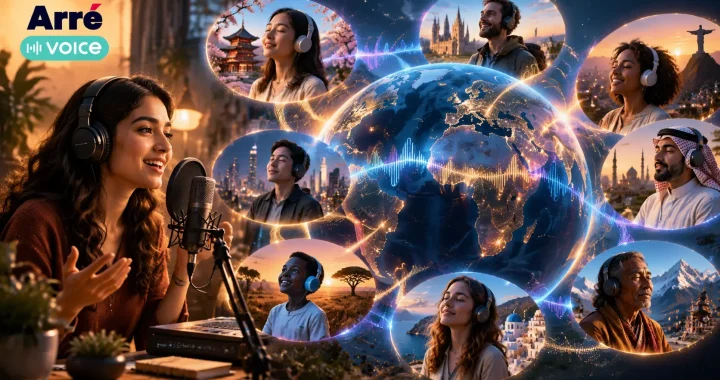
- Multilingual and regional storytelling
- Early prototypes before professional recording
The bigger change is not simply that AI can generate a voice. It is that creators can experiment with how a story sounds before committing to a larger production process.
A writer, for example, could test whether a scene works better with a calm narrator or a more dramatic delivery. A storyteller could create different voices for several characters. A creator publishing for audiences across languages could explore multiple versions of the same story.
That flexibility is especially relevant as audiences move between reading, watching, and listening throughout the day. The same idea can increasingly become an article, a narrated story, a video voiceover, or an audio-first experience.
AI narration therefore works best when viewed as a creative production tool, not as a replacement for storytelling itself.
The script, characters, pacing, emotion, cultural context, and imagination still come from the creator. AI simply provides another way to turn those ideas into sound.
AI voice narration is helping storytellers transform written ideas into immersive audio experiences—and giving more creators the ability to experiment with voice without beginning with a full recording setup.
What Is AI Voice Narration?
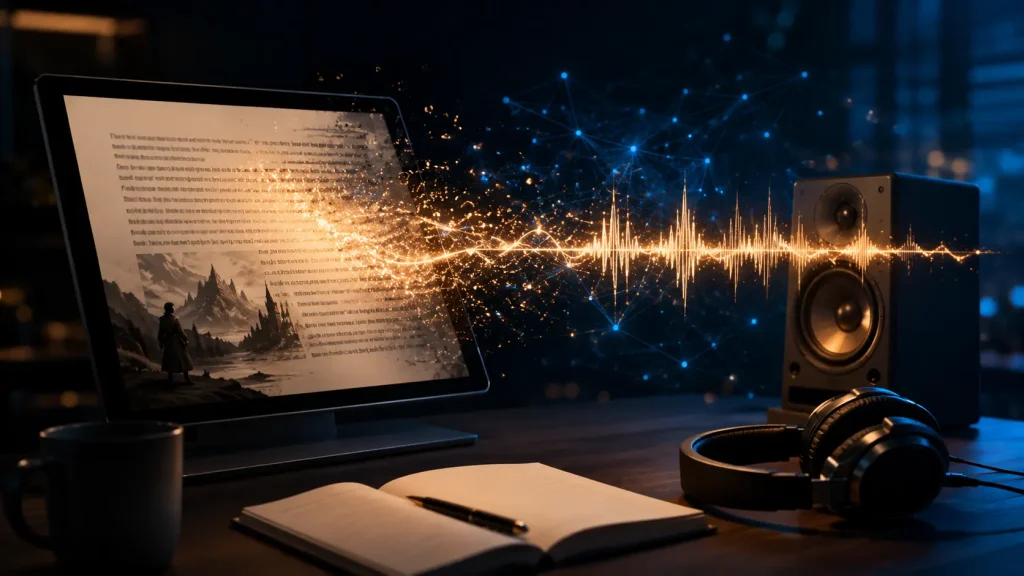
AI voice narration is the process of using artificial intelligence to turn written text into spoken audio. Instead of recording every sentence with a microphone, a creator provides a script to an AI narration system, selects a suitable voice, and generates an audio version of the content.
At a technical level, AI voice narration brings together several technologies, including:
- Text-to-speech technology to convert written words into audio
- AI voice models to produce different speaking styles and vocal characteristics
- Natural language processing to interpret sentence structure and context
- Voice expression systems to manage elements such as pacing, pauses, emphasis, and tone
The result can sound much closer to natural speech than older text-to-speech systems, particularly when the script is well written and the selected voice matches the content.
AI narration can be used across several types of content.
Audio Stories
Storytellers can turn fiction, short stories, cultural narratives, and serialized content into audio without recording every line themselves.
Different narration styles can also be tested before choosing the version that best fits the mood of the story.
Audiobooks
Authors and publishers can use AI audiobook narration to create draft versions, previews, independent releases, or audio editions where appropriate.
Long-form narration still requires careful quality control. Pronunciation, pacing, character consistency, and emotional delivery should be reviewed before publishing.
Podcasts
AI-generated narration can support scripted podcast formats, introductions, explainers, summaries, and narrative episodes.
It is particularly useful when the content is primarily script-driven rather than conversational.
Videos
An AI voice narrator can provide narration for explainer videos, documentaries, educational videos, short-form content, and other formats where the creator needs a voiceover but may not want to record one manually.
Learning Content
Educators and course creators can transform written lessons, study material, instructions, and explainers into audio that learners can listen to instead of relying only on text.
Marketing Content
Brands can use AI-generated narration for product explainers, campaign videos, demonstrations, and storytelling-led content.
The main difference from traditional narration is the production workflow.
Traditional voice recording usually requires someone to perform the script, capture the audio, repeat incorrect lines, and edit multiple recordings together. With AI voice narration, creators can revise the written script and regenerate the affected audio rather than recording the entire section again.
That does not remove the creative work behind narration. A strong result still depends on the script, voice selection, pacing, pronunciation, emotion, and final editing.
AI simply gives creators a faster way to move from written words to a listenable experience.
How Does AI Voice Narration Work?
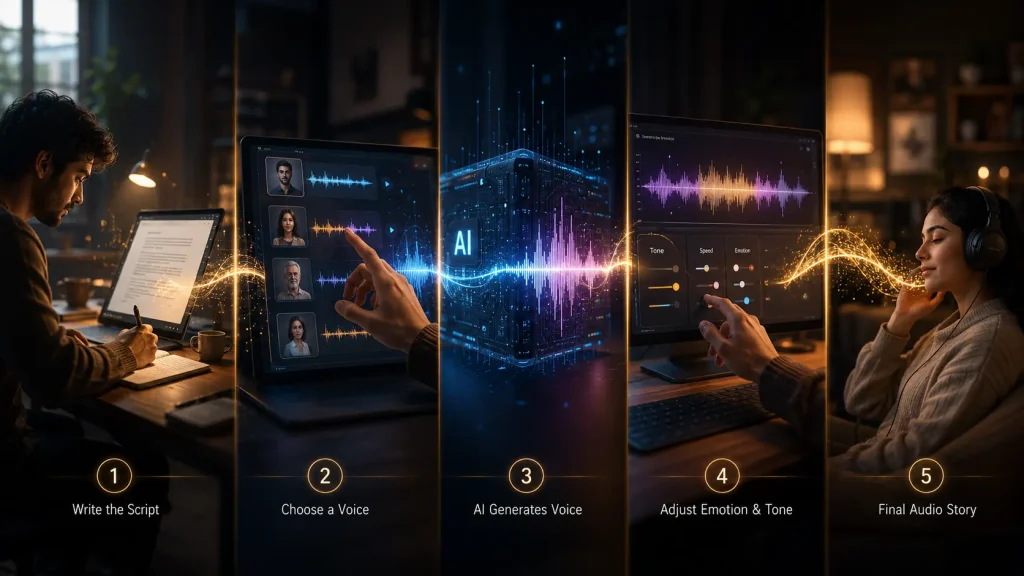
The process behind AI voice narration can vary between platforms, but the creator workflow usually follows the same basic path:
Script → Voice Selection → AI Narration → Expression → Editing → Publishing
Understanding each stage helps creators get better results from an AI narration tool.
Step 1: Prepare the Script
Everything begins with the written content.
Creators may start with:
- Story scripts
- Articles
- Books
- Video scripts
- Podcast scripts
- Educational material
- Marketing copy
A narration system can generate the voice, but it cannot automatically fix every weakness in the writing.
Long sentences, unclear punctuation, awkward dialogue, or poorly structured paragraphs can make the narration sound unnatural. Scripts written specifically for listening often work better than text copied directly from a document designed only for reading.
For example, this sentence may read well on a page:
“After thinking about everything that had happened during the previous several months, she finally decided that returning home might be the only choice left.”
For spoken narration, shorter phrasing may create a more natural rhythm:
“She thought about everything that had happened. After months away, returning home finally felt like the right choice.”
Writing for the ear is an important part of producing convincing narration.
Step 2: Select an AI Voice
The next step is choosing how the story should sound.
Depending on the AI narration generator, creators may be able to select voices based on characteristics such as:
- Tone
- Language
- Accent
- Vocal style
- Age range
- Storytelling mood
- Speaking pace
The best voice depends on the purpose of the content.
A dramatic fiction story may benefit from a more expressive narrator, while an educational lesson may work better with a calm, clear delivery.
A children’s story, documentary-style video, audiobook, and product explainer should not necessarily use the same type of voice.
Voice selection is therefore a creative decision, not simply a technical setting.
Step 3: Generate AI Narration
Once the script and voice are selected, the AI system converts the written text into spoken audio.
During generation, the voice model determines elements such as:
- Pronunciation
- Sentence rhythm
- Pauses
- Speech patterns
- Intonation
- Vocal continuity
This is where modern text-to-speech narration differs significantly from older robotic systems.
Rather than treating every word as an isolated sound, newer systems can interpret larger sections of text and produce more fluid speech.
However, creators should always listen to the generated output.
Names, regional words, abbreviations, unusual spellings, dialogue, and culturally specific terms may still require adjustment.
Step 4: Add Emotion and Expression
Good narration is not only about pronouncing words correctly.
A suspense scene should not sound like a classroom lecture. A reflective story needs different pacing from an advertisement. Dialogue between characters may require changes in energy, rhythm, or emphasis.
Many modern AI narration tools provide ways to influence elements such as:
- Speaking speed
- Pauses
- Tone
- Emphasis
- Energy
- Emotional delivery
Creators can use these controls to make narration better match the meaning of the script.
Sometimes the best improvement comes from changing the writing itself. Adding punctuation, shortening a sentence, separating dialogue, or rewriting a phrase may produce a more natural performance than repeatedly changing voice settings.
Step 5: Edit and Publish
Generating the voice is rarely the final step.
Creators can refine the narration with:
- Background music
- Ambient sound
- Sound effects
- Silence and pauses
- Volume balancing
- Audio transitions
- Final editing
These elements can turn plain narration into a more complete audio experience.
A mystery story might use subtle atmospheric sound. A cultural story may benefit from carefully selected music. An educational narration may need almost no additional effects because clarity is more important than atmosphere.
Once the audio is ready, creators can publish it through:
- Audio platforms
- Websites
- Storytelling communities
- Podcasts
- Video platforms
- Social channels
- Creator communities
The technology handles the conversion from text to voice, but the creator still shapes the experience.
That is why effective AI voice narration is less about pressing a “generate” button and more about combining good writing, appropriate voice selection, thoughtful direction, and careful editing.
Benefits of AI Voice Narration for Creators
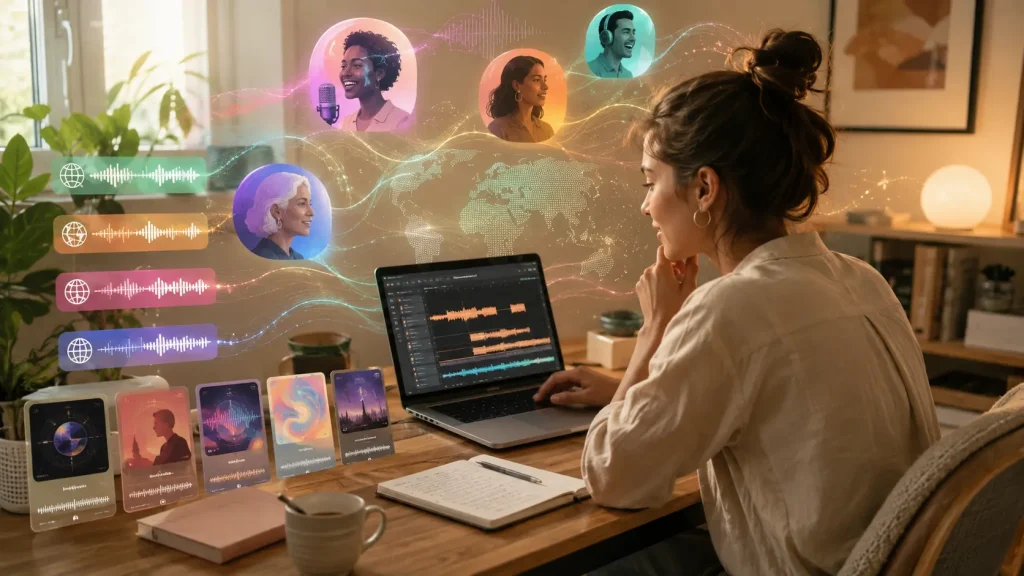
For creators, the biggest value of AI voice narration is not simply automation. It is the ability to experiment with audio faster, test different storytelling approaches, and produce narration without depending on a full recording setup for every project.
Faster Audio Production
Traditional narration can involve script preparation, recording sessions, retakes, audio cleanup, and editing before the final version is ready.
With AI narration, creators can move from a finished script to usable audio much faster. If a sentence changes, they can regenerate that section instead of arranging another recording session.
This is especially useful for creators producing:
- Frequent story episodes
- Video voiceovers
- Educational material
- Podcast segments
- Short-form audio content
- Early audiobook drafts
Faster production also gives creators more room to test ideas before publishing. A storyteller can compare multiple versions of the same scene and decide which narration style works best.
Lower Production Barriers
Professional narration often requires access to a quiet environment, quality microphones, recording software, and editing skills. Larger productions may also involve voice actors, sound engineers, and studio time.
AI voice narration reduces some of those requirements.
A creator can begin with a laptop, a prepared script, and an AI narration tool. This does not mean professional recording has become unnecessary. Instead, it gives independent creators another way to enter audio storytelling without needing a large production budget from the beginning.
For writers who have never recorded audio before, this can make the transition from text to voice much easier.
Multiple Voice Options
Choosing a narrator changes how a story feels.
A suspense story may need a controlled, dramatic voice. A children’s story may work better with a warmer and more energetic delivery. Educational content often benefits from a clear and steady speaking style.
AI narration tools allow creators to experiment with different:
- Voice styles
- Character voices
- Accents
- Speaking speeds
- Narration moods
- Story formats
This flexibility can also help during creative development.
Before committing to a final narrator or production style, a creator can listen to several interpretations of the same script and understand how voice changes the experience.
For character-driven stories, different voices can also help separate characters and make conversations easier to follow.
Multilingual Storytelling
A story created in one language does not always have to remain limited to that audience.
Many AI voice systems now support multiple languages and accents, giving creators more options for adapting narrated content for different listeners.
This can be particularly useful in a multilingual market like India, where audiences consume stories in Hindi, English, Tamil, Telugu, Marathi, Bengali, and many other languages.
Creators can explore:
- Multiple language editions of a story
- Regional storytelling
- Localised educational content
- Different language versions of video narration
- Audio experiences created for specific communities
However, multilingual narration needs human review.
Correct pronunciation, cultural context, regional vocabulary, and natural phrasing matter. A technically correct translation can still sound unfamiliar or unnatural to native listeners.
AI can make localisation easier, but creators should still treat language as part of the storytelling experience rather than simply converting words from one language to another.
Consistent Voice Quality
Consistency becomes important when a project extends across several chapters, episodes, or videos.
For an audiobook or serialized audio story, listeners may notice if the narrator suddenly changes tone, recording quality, microphone distance, or pacing between sessions.
AI-generated narration can help creators maintain a more consistent voice profile across repeated production.
This can be valuable for:
- Audiobook chapters
- Serialized fiction
- Educational courses
- Recurring explainers
- Long-running video series
Consistency does not automatically guarantee engaging narration, though.
Creators still need to review pacing, pronunciation, emotional delivery, and transitions. A technically consistent voice can still feel flat if every scene is delivered in exactly the same way.
The goal should be consistent identity with enough variation to match the story.
AI Voice Narration vs Traditional Voice Recording
AI voice narration and traditional recording solve the same basic problem—turning written material into spoken audio—but they approach production very differently.
Neither method is automatically better for every project.
| Traditional Voice Narration | AI Voice Narration |
| Performed by a human narrator or voice actor | Generated using an AI voice model |
| Requires recording sessions | Generated digitally from written text |
| May require microphones, studios, and recording software | Can often be produced through an AI narration platform |
| Retakes may require additional recording | Script changes can often be regenerated quickly |
| Production can require more time and coordination | Faster for testing and repeated content production |
| Voice choices depend on available performers | Creators can experiment with multiple digital voices |
| Human interpretation can add subtle emotional nuance | Expression depends on the capabilities of the AI model and creator direction |
| Particularly valuable for performance-led projects | Particularly useful for scalable and experimental production |
Where AI Narration Has an Advantage
AI narration is particularly useful when creators value:
- Speed
- Easy revisions
- Multiple voice experiments
- Frequent publishing
- Multilingual production
- Lower initial production requirements
For example, a creator producing several educational videos every week may find AI narration more practical than organizing repeated recording sessions.
It is also useful during prototyping. Writers can hear how a chapter sounds before deciding whether the final version needs a professional narrator.
Where Human Narration Still Stands Out
Human narrators can interpret more than words.
An experienced performer may understand when to hesitate, whisper, change emotional intensity, or intentionally break a rhythm because of what is happening in the story.
That type of interpretation can be especially important for:
- Literary audiobooks
- Emotionally complex fiction
- Character performances
- Poetry
- Dramatic productions
- Highly personal storytelling
Human voices also carry individual personality and lived expression that may be central to the identity of a particular project.
For this reason, AI narration should not be viewed simply as a replacement for traditional voice recording.
A more useful distinction is based on the needs of the project.
Creators may use AI for speed, drafts, localisation, experimentation, or scalable production while choosing human narration when individual performance and emotional interpretation are central to the experience.
In many cases, the strongest future workflow may combine both: human creativity directing AI-assisted production, with professional human performance used where it adds the most value.
How Creators Use AI Voice Narration
AI voice narration is useful because it can fit into very different creative workflows. The same technology that helps an author test an audiobook chapter can also help a YouTube creator produce a video voiceover or an educator turn lesson material into audio.
What changes is not the technology itself, but how the creator uses the voice.
Storytellers
For storytellers, AI narration can turn written scenes into audio without requiring a full recording setup for every idea.
It can be used for:
- Fiction stories
- Short-form narratives
- Character-led stories
- Audio dramas
- Experimental storytelling formats
One of the strongest use cases is rapid experimentation.
A storyteller can write a scene, listen to it, notice where the pacing feels slow, adjust the dialogue, and generate another version. This makes audio part of the creative process rather than something added only after the story is finished.
AI voices can also help creators test different character identities.
A mystery story may need a restrained narrator, while a fantasy story may work better with a more expressive delivery. Different voice styles can help creators understand how a character might sound before they move into a final production.
For fictional content, however, voice alone is not enough. Character motivation, scene structure, tension, dialogue, and emotional progression still determine whether the story works.
Authors
Authors can use AI narration to hear their writing in a completely different way.
Reading a manuscript silently and listening to it aloud are two different experiences. Awkward sentences, repetitive phrases, unnatural dialogue, and pacing problems often become easier to notice once the text is spoken.
AI narration can support authors creating:
- Audiobook drafts
- Sample chapters
- Book previews
- Serialized stories
- Promotional excerpts
- Audio versions of short fiction
It can also help during the editing process.
Before producing a complete audiobook, an author could generate a few chapters and test whether the writing works naturally in spoken form.
For independently published authors, AI audiobook narration may also provide a way to explore audio editions with fewer initial production requirements.
That said, long-form books need careful review. Consistency in pronunciation, character voices, pacing, and emotional tone becomes increasingly important across several hours of narration.
YouTube Creators
Narration is central to many YouTube formats.
Creators may need a voice for:
- Explainer videos
- Documentary-style content
- Story videos
- Educational channels
- List-based videos
- Animation
- Faceless channels
An AI narration tool allows creators to change a script without having to record the entire voiceover again.
This can be particularly useful when videos are produced frequently or when the creator prefers to focus on research, writing, editing, or visuals rather than performing the narration personally.
But natural delivery matters.
A technically clear voice can still make a video difficult to watch if every sentence has the same pace or energy. Creators should match the narration to what is happening visually and use pauses, emphasis, and pacing deliberately.
The voice should support the video rather than feel like a separate layer placed on top of it.
Educators
Educational content needs clarity before anything else.
Teachers, course creators, training teams, and educational publishers can use AI voice narration to convert written material into audio for:
- Online courses
- Study guides
- Learning modules
- Revision material
- Tutorials
- Educational videos
- Accessible listening formats
Audio can give learners another way to engage with the same information.
For example, a written lesson could be available both as an article and as a narrated version for students who prefer listening.
AI narration can also make updates easier. If one part of a lesson changes, the creator may only need to regenerate that section rather than record an entire module again.
However, educational narration should prioritize clear pronunciation and understandable pacing over dramatic performance.
Marketers
For marketers, AI narration can support content that needs to be produced quickly across different formats.
Possible uses include:
- Product videos
- Brand explainers
- Social advertisements
- Demonstration videos
- Campaign content
- Customer education
- Brand storytelling
A marketing team might create one core script and adapt it into several narrated versions for different campaigns or audiences.
AI-generated narration can also be useful during the concept stage. Teams can test a video with temporary narration before investing in final production.
For brand storytelling, though, consistency matters.
If a company repeatedly uses voice content, its narration style can become part of how the brand is recognized. Tone, pacing, vocabulary, and overall personality should therefore feel intentional rather than changing randomly between pieces of content.
Across all these use cases, the same principle applies:
AI generates the narration, but the creator still decides what the audience should feel, understand, and remember.
AI Voice Narration for Audio Storytelling
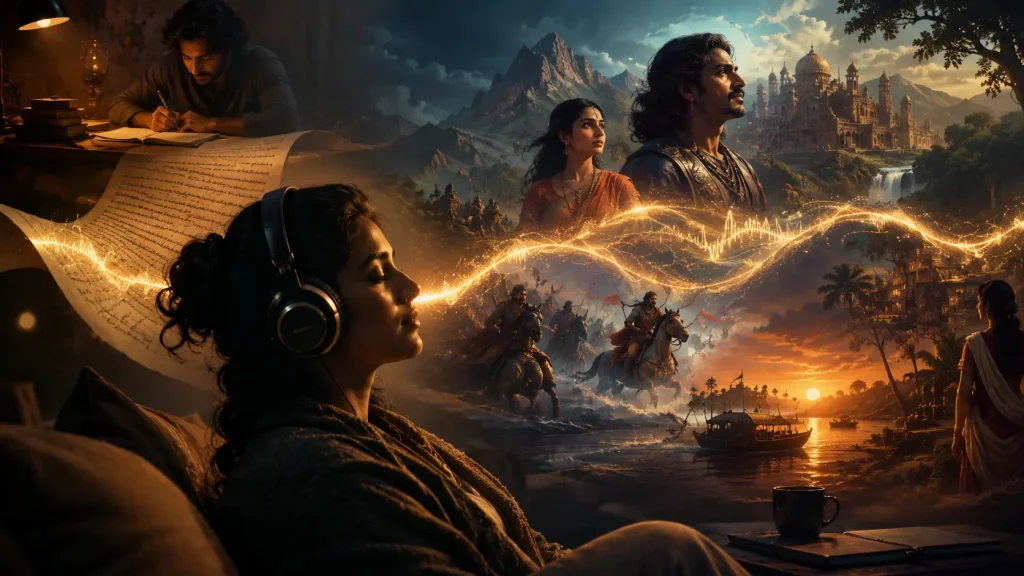
Audio storytelling is different from simply reading text aloud.
A good audio story has to hold someone’s attention without depending entirely on visual cues. The listener follows the narrative through voice, rhythm, silence, sound, and imagination.
That makes four elements especially important:
- Strong scripts
- Engaging voices
- Emotional delivery
- Listener connection
AI voice narration can support each stage of that process, but it works best when it is treated as part of the storytelling workflow rather than the entire creative solution.
Strong Scripts Come First
The quality of an audio story begins before any voice is generated.
A script written for listening needs clear sentences, natural dialogue, deliberate pauses, and enough context for the audience to understand what is happening without seeing the scene.
A visually descriptive paragraph may work well on a page but feel heavy when spoken.
Audio storytelling often benefits from tighter writing.
For example:
“The old house stood at the far end of the village. Its windows had been closed for twenty years.”
That type of phrasing gives the narrator space to create atmosphere.
AI can produce the voice, but the script creates the moment.
Voice Shapes the Story
The same words can feel completely different depending on how they are spoken.
A narrator can make a sentence sound:
- Suspenseful
- Warm
- Humorous
- Intimate
- Serious
- Reflective
This is why AI voice for storytelling should be selected according to the story rather than simply choosing the most realistic-sounding voice available.
A cultural folktale, for example, may need a different rhythm and personality from a futuristic science-fiction story.
Character-based narratives may also benefit from distinct voices so listeners can recognize who is speaking without constant explanation.
Emotion Makes Narration Memorable
Storytelling depends on emotional movement.
A narrator may need to slow down during a reflective scene, build energy during conflict, or leave silence after an important line.
Modern AI narration can help creators experiment with these elements, but emotional direction still requires judgment.
Too much expression can feel artificial.
Too little can make an otherwise powerful story feel flat.
Creators should listen to the narration as an audience member would and ask a simple question:
Does the voice understand the moment?
If it does not, the creator may need to adjust the narration settings, rewrite the sentence, add punctuation, or choose a different voice.
AI Narration Can Support Different Story Formats
For audio storytellers, AI-generated narration can be used for:
- Fiction
- Short stories
- Cultural narratives
- Folklore
- Character-based audio
- Serialized stories
- Audio drama prototypes
- Interactive storytelling experiments
This creates an especially interesting opportunity for regional and cultural storytelling.
Stories that exist primarily as written material can be adapted into listening experiences, while creators can explore different languages and narration styles for different audiences.
But cultural accuracy matters.
Names, local expressions, pronunciation, and regional context should be reviewed by someone familiar with the language and culture rather than relying entirely on automated output.
From Story Idea to Listener
A simple AI storytelling workflow can look like this:
Story Idea → Script → AI Voice Narration → Audio Experience → Audience
Each stage has a different purpose.
The idea provides the reason to listen.
The script gives the story structure.
The AI narration gives the words a voice.
The audio experience adds pacing, atmosphere, music, and sound where appropriate.
The audience determines whether the story actually creates a connection.
That final stage is important.
Creating audio is only one half of storytelling. The other half is finding people who want to listen, respond, discuss, and return for more.
This is where platforms built around voice and community can play a different role from AI narration generators.
An AI tool may help a creator produce the narration. A voice-first platform such as Arré Voice can support the next stage: sharing audio-led content and connecting it with listeners and communities built around interests and conversations.
For storytellers, that creates a broader journey:
Create the story → Give it a voice → Publish it → Find listeners → Build a conversation around it.
AI voice narration makes the production side more accessible. What gives an audio story lasting value, however, is still the relationship between the story, the voice, and the listener.
Best AI Voice Narration Tools for Creators
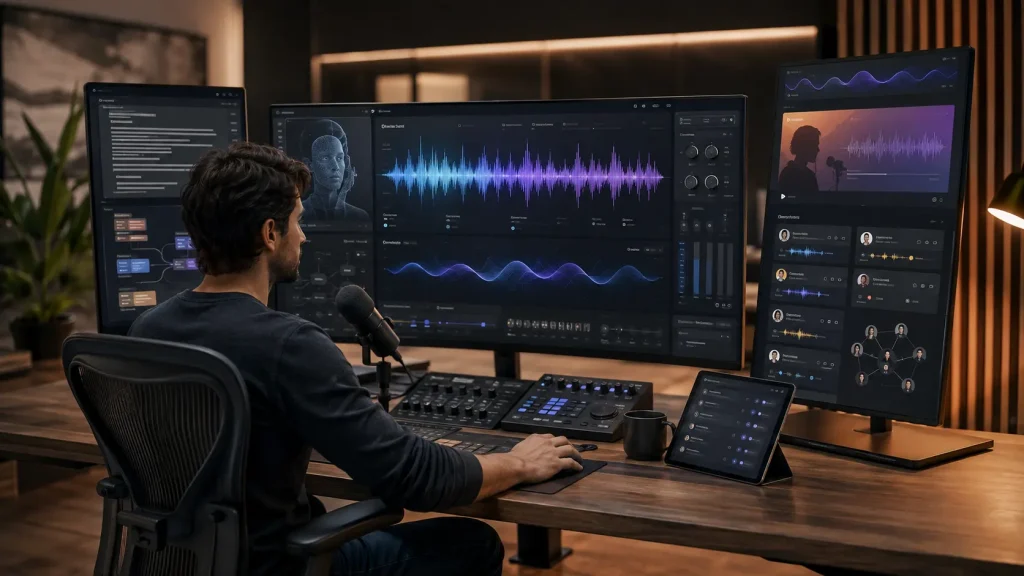
There is no single tool that handles every part of audio storytelling equally well. A creator may need one platform to generate the narration, another to develop the script, and another to publish the finished voice content and reach listeners.
For that reason, it is more useful to compare tools by the role they play in the workflow:
Story Idea → Script Development → AI Narration → Publishing → Audience
Best for Realistic AI Narration
ElevenLabs
ElevenLabs is a strong option for creators whose main requirement is turning written scripts into expressive AI-generated speech.
Its text-to-speech technology is designed to produce lifelike audio with control over elements such as intonation, pacing, pronunciation, and emotional delivery. ElevenLabs also supports multilingual speech and provides a voice library alongside tools for creating custom voice styles.
This makes it particularly useful for:
- Story narration
- Audiobooks
- Fiction
- Character voices
- Video voiceovers
- Multilingual narration
For storytellers, one useful feature is the ability to explore voices based on characteristics such as accent, age, tone, and other vocal qualities. Its Voice Design feature can generate new voice options from a written description, which gives creators more freedom when developing characters or choosing a narrator for a particular story.
ElevenLabs also provides tools for controlling delivery and pronunciation, which matters when a story contains names, emotional scenes, unusual vocabulary, or changes in pacing.
Best suited for: creators who already have a script and need an AI narration generator to turn it into polished spoken audio.
However, generating the voice is only one part of the creator journey. Once the narration exists, the next challenge is finding people who want to hear it.
Best for Voice Content Creation and Community
Arré Voice
Arré Voice plays a different role from a traditional AI voice generator.
Rather than focusing primarily on converting text into synthetic speech, Arré Voice is built around creating, discovering, and interacting through audio content. Its current app positioning describes it as a social audio space for creators, storytellers, conversations, micro-fiction, news, and niche interests.
That distinction matters.
An AI narration tool can help create the voice.
Arré Voice can help give that voice an audience.
For creators interested in audio storytelling, it can support the publishing and community side of the workflow:
- Share voice-led stories
- Create audio-first content
- Explore interest-based conversations
- Reach listeners who already consume audio
- Participate in voice communities
- Build interaction around stories and ideas
This makes Arré Voice particularly relevant after the narration has been created.
Imagine a storyteller who writes a short piece, generates or records the narration, and then wants more than an audio file sitting on their device. The next objective is discovery: getting the story in front of listeners and creating a reason for those listeners to respond or return.
That creates a broader creator journey:
Create → Narrate → Publish → Connect
For creators, this community layer can be as important as the generation technology itself.
Best suited for: storytellers and voice creators who want to move from audio creation to audience connection.
Best for Script Assistance
ChatGPT
Before an AI voice narrator can perform a story, there needs to be something worth narrating.
ChatGPT can support the writing stage of the process. OpenAI describes writers using ChatGPT as a sounding board, story consultant, research assistant, and editor for developing ideas and improving areas such as structure and flow. OpenAI also provides guidance for using ChatGPT to brainstorm ideas, organize rough concepts, and turn them into more structured plans.
For narration projects, creators can use it to help with:
- Story brainstorming
- Plot development
- Script structure
- Dialogue refinement
- Character development
- Shortening sentences for spoken delivery
- Reworking awkward narration
- Generating alternative openings
- Exploring different storytelling approaches
For example, a paragraph written for reading may contain long sentences that feel heavy when spoken. A creator could use ChatGPT to restructure the passage for a more conversational audio rhythm while keeping the original meaning.
It can also help storytellers think through questions such as:
- Should this scene use dialogue or narration?
- Where should a pause occur?
- Is the opening strong enough for audio?
- Does each character have a distinct voice?
- Can this paragraph be understood without visuals?
The final creative decisions should still come from the writer. AI-assisted writing works best as an editing and ideation partner rather than a substitute for the creator’s perspective.
Best suited for: creators who need help developing or improving the script before narration begins.
Choosing the Right AI Narration Workflow
These three tools solve different parts of the same creative process.
| Creator Need | Tool / Platform | Best Use |
| Develop the story | ChatGPT | Ideas, scripts, dialogue and editing |
| Generate the narration | ElevenLabs | AI voices, narration and character voices |
| Publish and connect | Arré Voice | Audio storytelling, discovery and community |
A creator does not necessarily need to choose only one.
For an audio storyteller, a practical workflow could look like:
Story Idea → ChatGPT-assisted Script Development → ElevenLabs AI Narration → Arré Voice → Listener Community
The important part is understanding where each tool adds value. AI voice narration creates the spoken experience; storytelling gives it meaning; distribution and community give it somewhere to live.
How to Create AI Voice Narration for Your Story
Creating effective AI voice narration starts long before the audio is generated. The quality of the final result depends on the script, narration style, voice selection, emotional direction, and the way the finished story is edited and published.
Step 1: Write Your Story Script
Begin with a script designed for listening.
Written content and spoken content do not always work the same way. Long sentences, dense paragraphs, and complicated wording may read well on a screen but sound unnatural when narrated.
For better audio narration:
- Keep sentences clear and conversational
- Break long paragraphs into shorter sections
- Use punctuation to create natural pauses
- Separate dialogue from narration
- Read the script aloud before generating the audio
The stronger the script, the more natural the final narration is likely to feel.
Step 2: Select the Narration Style
Decide how the story should sound before choosing a voice.
A narration style might be:
- Dramatic
- Calm
- Conversational
- Mysterious
- Energetic
- Emotional
- Informative
The right style depends on the story.
A suspense story may need slower pacing and controlled tension, while a children’s story may benefit from a warmer and more expressive delivery.
Step 3: Choose an AI Voice
Next, select an AI voice that matches the narrator, subject, and intended audience.
Depending on the AI narration tool, creators may be able to choose based on:
- Language
- Accent
- Tone
- Vocal style
- Speaking pace
- Character personality
Do not judge a voice only from a short demo.
Test it with your own script. A voice that sounds impressive in a sample may not suit the emotion or rhythm of your story.
If you are using voice cloning or a recognizable person’s voice, make sure you have the necessary permission to use it.
Step 4: Generate the Audio
Once the script and voice are ready, generate the first version of the narration.
Treat this version as a draft rather than the finished product.
Listen for:
- Incorrect pronunciation
- Unnatural pauses
- Awkward pacing
- Flat delivery
- Inconsistent character voices
- Sentences that sound too long when spoken
For longer stories, generating the narration in smaller sections can make reviewing and editing easier.
Step 5: Improve the Expression
A realistic voice does not automatically create good storytelling.
The narration also needs to reflect what is happening in the scene.
Depending on the tool, creators may be able to adjust:
- Speaking speed
- Pauses
- Emphasis
- Tone
- Energy
- Emotional delivery
Sometimes the easiest way to improve the narration is to revise the script itself.
A shorter sentence, different punctuation, or an intentional pause can completely change how a line sounds.
Step 6: Add Music and Sound Effects
Once the narration is ready, sound design can help create a richer listening experience.
Creators may add:
- Background music
- Environmental sounds
- Character effects
- Audio transitions
- Ambient sound
- Strategic moments of silence
Sound effects should support the story rather than overpower the narrator.
A reflective story may need very little sound design, while an audio drama may depend heavily on atmosphere and effects.
Step 7: Publish Your Story
After reviewing the final narration, publish it where your audience already discovers audio content.
Possible channels include:
- Audio storytelling platforms
- Podcasts
- Websites
- YouTube
- Social platforms
- Voice communities
- Creator communities
The complete workflow can be understood as:
Story Script → Narration Style → AI Voice → Generated Audio → Expression → Sound Design → Publishing
For a broader guide covering the complete AI-powered audio storytelling process, read How to Create Audio Stories Using AI Voice Technology.
Can AI Voice Narration Replace Human Narrators?
No. AI voice narration can automate parts of audio production, but it does not replace everything a skilled human narrator brings to a story.
AI and human narration have different strengths.
Where AI Voice Narration Helps
AI narration is particularly useful when creators need:
- Faster production
- Easy script revisions
- Scalable content creation
- Multiple voice experiments
- Multilingual versions
- Lower production barriers
For creators producing frequent videos, learning content, serialized stories, or early audiobook drafts, these advantages can make AI narration highly practical.
A changed paragraph can often be regenerated within minutes rather than requiring another recording session.
What Human Narrators Bring
Human narration involves more than reading words correctly.
Experienced narrators interpret the meaning behind a script.
They understand when to:
- Slow down
- Pause
- Change emotional intensity
- Add subtle humor
- Create tension
- Shift between characters
- Deliver a line differently because of its context
Human narrators also bring an individual performance that may become part of the identity of the story itself.
This can be especially important for:
- Literary audiobooks
- Poetry
- Emotional fiction
- Character-led drama
- Personal storytelling
- Performance-focused productions
AI and Human Narration Can Work Together
The more useful question is not necessarily:
“Will AI replace narrators?”
It is:
“Which parts of the narration process are best handled by AI, and which benefit from human performance?”
A creator might use AI narration to:
- Test a script
- Create a prototype
- Explore different voice styles
- Produce alternate language versions
- Preview how a story sounds
The final production could still use a professional narrator where emotional interpretation and performance matter most.
The future of narration is therefore likely to involve human creativity supported by AI-assisted production, rather than one completely replacing the other.
From Voice Generation to Listener Connection
AI Voice Narration → Arré Voice → Listener Connection
Creators Can Turn Ideas Into Voice Content
A creator may begin with:
- A fictional story
- A personal thought
- A cultural narrative
- A character concept
- A discussion topic
- A serialized audio idea
AI narration can help turn the written idea into audio.
Once that content exists, a voice-first platform gives creators a place to share it rather than leaving it as a standalone audio file.
Share Stories With an Audio-First Audience
Audio storytelling works differently when listeners are already interested in consuming content through voice.
Creators can use Arré Voice to bring stories and voice-led ideas into an environment where audio itself is the primary form of communication.
That creates a more natural discovery path for voice creators.
Build Audiences Around Stories
Publishing is only one part of creator growth.
The stronger opportunity comes when listeners begin to:
- Discover recurring stories
- Follow creators
- Respond to content
- Participate in conversations
- Return for future episodes
For serialized storytellers, this relationship can be especially valuable.
Instead of treating each audio story as an isolated piece of content, creators can gradually build an audience around a recognizable voice, theme, or storytelling style.
Join Voice Communities
Stories often become more meaningful when they create conversation.
Voice communities can bring together people interested in similar subjects, cultures, experiences, or storytelling formats.
For a creator, that means the journey can continue beyond publication:
Create → Narrate → Share → Discuss → Build Community
That distinction is important.
AI narration technology can make audio creation faster and more accessible. But technology alone does not create an audience.
The creator still needs somewhere for the story to be heard, discovered, discussed, and remembered.
That is the role Arré Voice can play within the wider AI audio creation ecosystem:
AI narration helps give the story a voice. Arré Voice helps that voice find people to connect with.
Frequently Asked Questions
How can I make AI voice narration sound more natural?
To make AI voice narration sound more natural, improve the script before adjusting the voice. Use shorter sentences, realistic punctuation, deliberate pauses, and conversational wording. Then refine pacing, pronunciation, emphasis, and emotional delivery inside the narration tool. Testing several voices with the same paragraph often reveals which one fits best.
Can AI voice narration be monetized on YouTube?
Yes, AI-narrated videos can be eligible for YouTube monetization when the overall content follows YouTube Partner Program policies. AI use alone does not make a channel ineligible. Creators should add genuine original value and avoid repetitive, mass-produced, or reused content that offers little meaningful transformation or contribution.
Can I use AI-generated narration for commercial projects?
Often yes, but commercial rights depend on the narration platform and the material you provide. Some services restrict commercial use on free plans and grant broader rights on paid plans. Before publishing advertisements, audiobooks, courses, or monetized videos, check the tool’s current license and confirm you own the underlying script.
Is it legal to clone someone else’s voice for narration?
Do not assume that a publicly available voice can be cloned freely. Voice replicas can raise consent, impersonation, privacy, and digital-replica concerns. Use your own voice or a properly licensed voice, and obtain explicit permission before replicating another person. For commercial projects, also check the laws applicable to your audience and location.
How do I fix names or words that AI narration mispronounces?
Start by checking spelling, punctuation, and the language selected for the voice. For difficult names, acronyms, brands, or regional terms, some narration platforms provide pronunciation dictionaries, phonetic controls, or word substitutions. Generate a short test first, correct recurring errors, and only then process the complete story or long-form script.
How much does AI voice narration cost?
AI voice narration pricing varies by provider, plan, voice model, and the amount of audio or text generated. Free tiers may be useful for testing but can include limits or commercial-use restrictions. For ongoing storytelling, compare generation allowances, commercial rights, export quality, multilingual support, and the cost of regenerating edited sections.
Do I need to tell listeners that a voice is AI-generated?
Disclosure requirements depend on the platform and how the synthetic voice is used. It becomes especially important when realistic AI audio could be mistaken for a real person. Creators should review each platform’s current rules and clearly disclose synthetic narration when required or whenever transparency would prevent listeners from being misled.
Who owns AI-generated narration, and can it be copyrighted?
Ownership and copyright are not identical. A narration platform may grant rights to generated audio, while copyright protection depends on applicable law and human creative involvement. In the United States, human-authored elements and sufficiently creative human contributions can receive protection, while material generated entirely by AI is treated differently.

[…] Know more about→ AI Voice Narration […]